
Custom renderer
A renderer designed for high FPS. In our test it delivered about 75% higher average FPS on Vulkan and 44% on OpenGL than pure vanilla.
Play Minecraft more smoothly. Hiro Client raises FPS and improves frame smoothness so you can focus on the game.
Measured on 22 Oct 2026 on an AMD Ryzen 5 4500 + Radeon RX 6600, Minecraft 26.2, Java 25, render distance 24, 80 mobs around the player, 1600x900, vsync off, vanilla with the vanilla launcher's JVM flags, Hiro with the Hiro launcher's. Memory (working set) is about 8 to 10% lower than vanilla. Results may vary by hardware and settings.
No artificial demo. Same world, same hardware, same settings, the only difference is the client.


Hiro focuses on smoothness: less needless work for your computer and more peace of mind while playing.
A renderer designed for high FPS. In our test it delivered about 75% higher average FPS on Vulkan and 44% on OpenGL than pure vanilla.
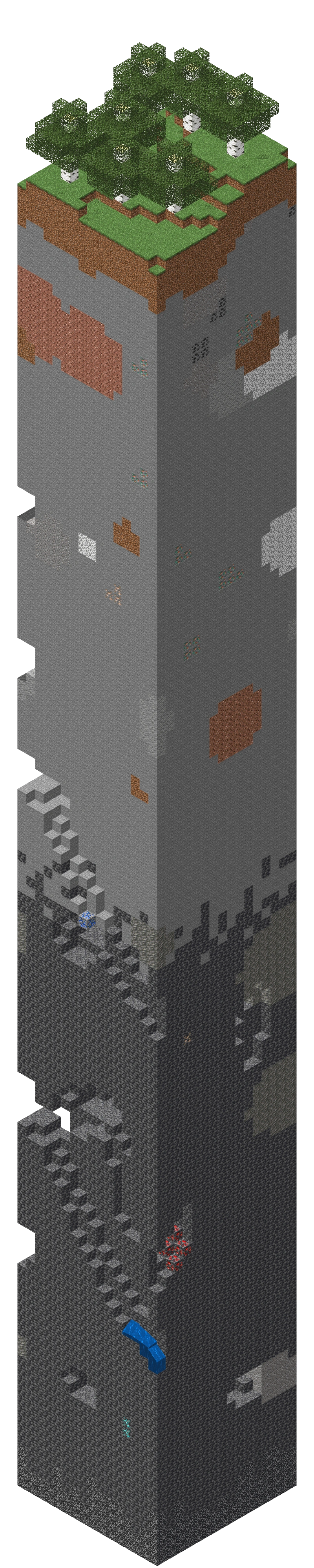
Chunk loading is designed so the world fills in smoothly even during fast movement and flying.

Distant entities update their animation less often, saving performance with no visible difference. Real LOD is available for terrain through Distant Terrain.

In our test on OpenGL, Hiro had 69% better 1% low FPS (221 vs 131), meaning fewer noticeable stutters.
Answers to what you ask most often. If something is missing, write to us on Discord.
The client is free and will stay free. We offer optional paid cosmetics, but no premium versions or paid features. We are funded by cosmetics, voluntary contributions and sponsors, not by selling data.
Hiro Client is an optimization client and does not add cheats. Server rules differ, so we recommend reading them before you play, especially on servers with their own anticheat. We are not responsible for bans issued by server operators.
1. Download the installer for Windows.
2. Run it and let the installation finish (usually just a few minutes).
3. Open Hiro Launcher, sign in with your Minecraft account and start the game.
4. Done, no manual copying of jars or folders.
We currently support Minecraft 26.2 (Fabric loader 0.19.5, Java 25). Hiro Client runs only through Hiro Launcher. The client and launcher are English only for now. You can always find the list of supported versions in the changelog.
Yes. Hiro Client supports both original (premium) Minecraft accounts and cracked accounts. You simply sign in with what you use, the client works the same in both cases.
Hiro Client is built on Fabric and already includes its own renderer, shader pack support (OptiFine/Iris) and Distant Terrain. We therefore recommend not adding mods like Sodium or OptiFine, the launcher warns about possible problems. If you run into a conflict, let us know.
The same as vanilla Minecraft, but ideally 8 GB of RAM and an integrated or dedicated GPU from the last 6–7 years.
We don't sell any data. The client sends online status and friends data (player UUID, server address or menu, client version and the UUIDs of players in the tab list to find Hiro users). Anonymous crash reports with personal data removed are optional and can be turned off in the settings.
Report bugs and problems through tickets in the support channel on our Discord (pick a category from the dropdown). Ideas go to the ideas forum. We usually reply within 24 hours.
Hiro Client is a free Minecraft client from the Czech Republic with one goal: higher FPS and smoother gameplay. Instead of putting FPS mods together one by one, you get a ready-made, optimized Minecraft client built on Fabric, an FPS client and FPS booster in one.
Looking for the best Minecraft client for a lower-end or a high-end PC? Hiro Client is made for Windows and the current Minecraft version 26.2, launches through Hiro Launcher, and the base client is free. Check the measured results above and try the Minecraft FPS boost yourself.

Hiro Client is free, we don't sell data and setup takes only a few minutes.
The launcher is not digitally signed yet, because we are a small project without a certificate so far. Windows therefore cannot tell who made the file and may show "Windows protected your PC". Some antivirus products may also flag a new unsigned file.
0.4.24c312110ac108ba67cf4f4b3d421cd85a3bb7d4a95fd5a03d5a02fdef7ec3de1fGet-FileHash .\HiroLauncher-0.4.24-Setup.exe -Algorithm SHA256If the hash differs or you got the file elsewhere, do not run it and tell us on Discord. Do not turn off your antivirus for Hiro. If it blocks the file, tell us which antivirus it is and the name of the detection.